My carputer
DIY in-car navigation and reverse camera.
I have been using the setup and navigation for over a year now, but finished the reverse camera only recently.
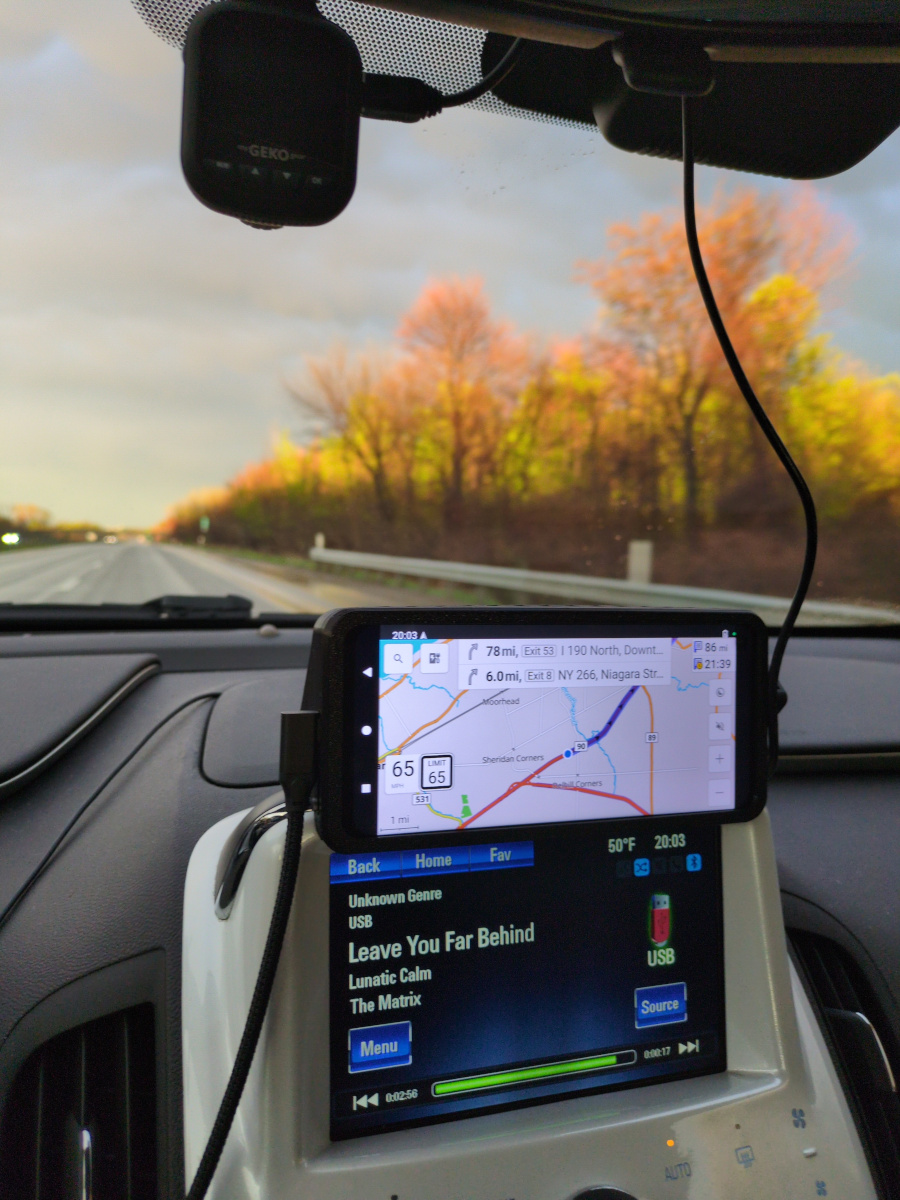
Idea
I wanted two things for my car: standalone navigation and a reverse camera. I tried a few things before, but settled on the most straightforward idea - an Android smartphone for map software and its USB-OTG for the camera.
This has been my kind of "forever project".
I started with trying to connect a Raspberry Pi to the infotainment screen. Then I chickened out.
Hardware
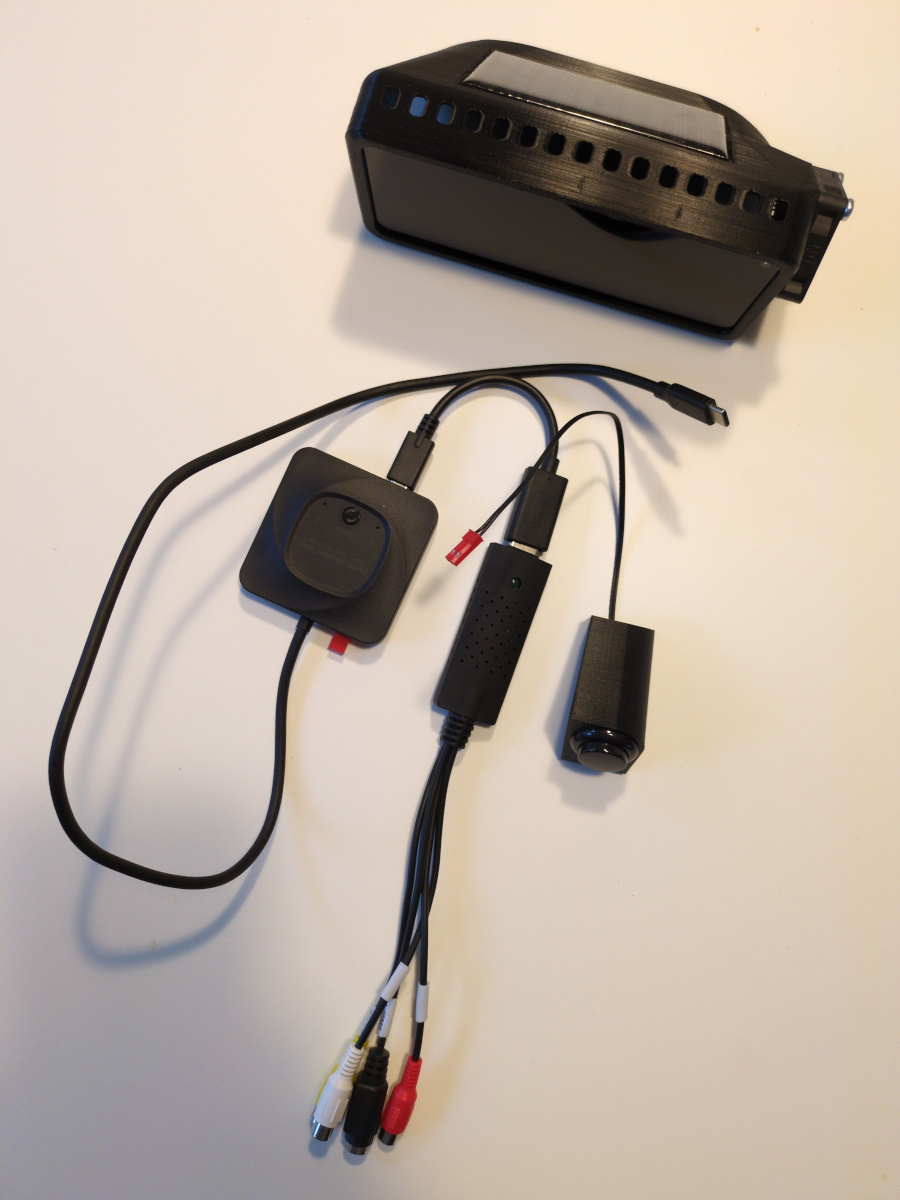
- OnePlus Nord N10 5G, Android smartphone (in a 3D printed enclosure, held by magnetic mounts)
- USB-C webcam (or a regular camera + capture device)
- True USB-C switcher (to switch smartphone's USB-C port between power and reverse camera)
- External button for the USB-C switcher, for ease of access
- USB-C cables to power the smartphone and switcher
Smartphone and enclosure
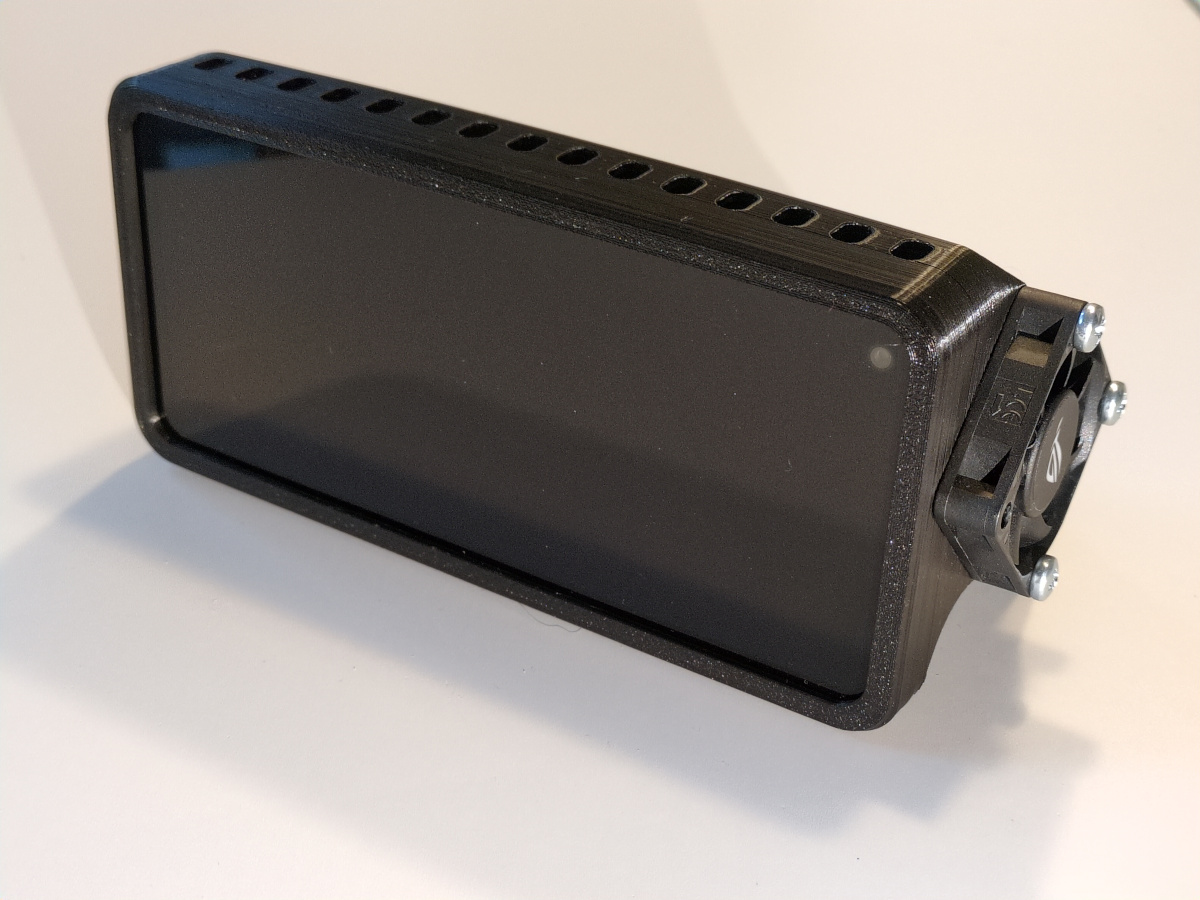
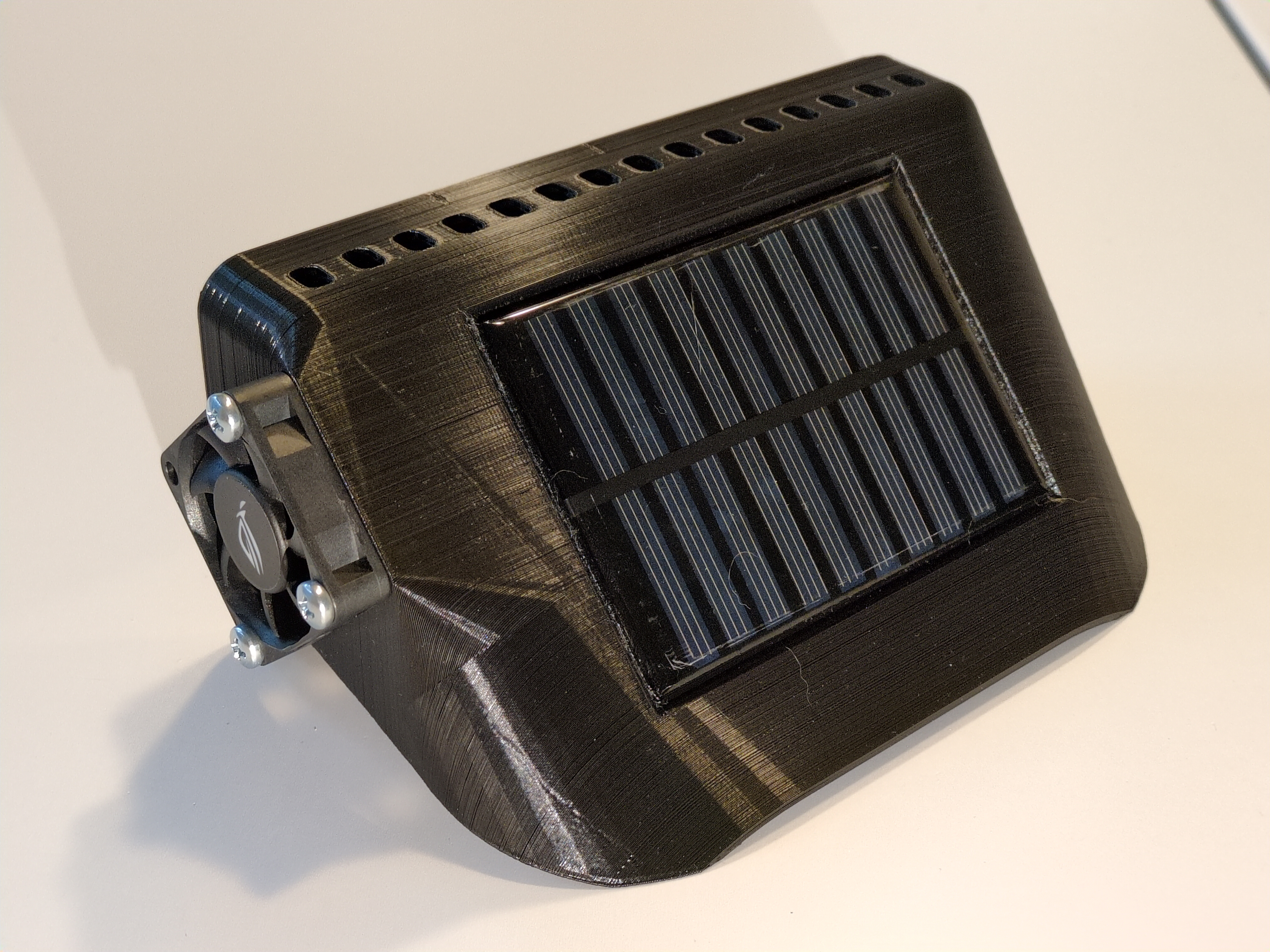
OnePlus Nord N10 5G is my old phone, its size fits nicely above the center console, and its width is great for viewing a wide-angle camera.
Originally, the smartphone was attached to the top of the center console using two magnetic phone mounts and sticky metal plates, the "usual" way. Since I intended the smartphone to be installed there semi-permanently, I designed this enclosure to shield it from direct sunlight, try to cool it, and fit into the interior a bit better.
I understand the risks of using lithium-ion batteries in hot environments. The battery is software-limited to a maximum % of charge, and the enclosure shields it from the direct sunlight.
It took many measurements and prints to make a shape that allows the phone to be popped in and out of the enclosure, but keeps the power button accessible. The sides are curved and the back is sloped to match the shape of the interior and fit the solar panel and the fan. Originally, this enclosure was printed using Inland PLA+ (I believe a PLA and ABS mix, judging by the smell), and held up in the summer heat pretty well. It did melt a little bit, but that just made it fit the interior better.
Solar panel (scavenged from a power bank) is hooked up to a small PC fan and a ~470uF capacitor in parallel. When enough sunlight hits the solar panel, the fan spins, slowly circulating the air behind the phone, cooling the back of the phone down (even if a little bit).
Camera
I installed a AHD (Analog HD) rear camera a while ago.
I used it in 2025, but it was very unreliable. The AHD-UVC converter would sometimes produce a distorted picture, or no picture at all. It got very hot while on, had no good ways to dissipate that heat, and I think I damaged it by keeping it powered on a long drive. The camera though, did not survive its second winter.
Anyway, since I planned on using some form of UVC converter (like a capture device), why not just use a webcam to begin with? This time, I will mount it on the interior, behind the rear glass of the hatch, protected from the elements.
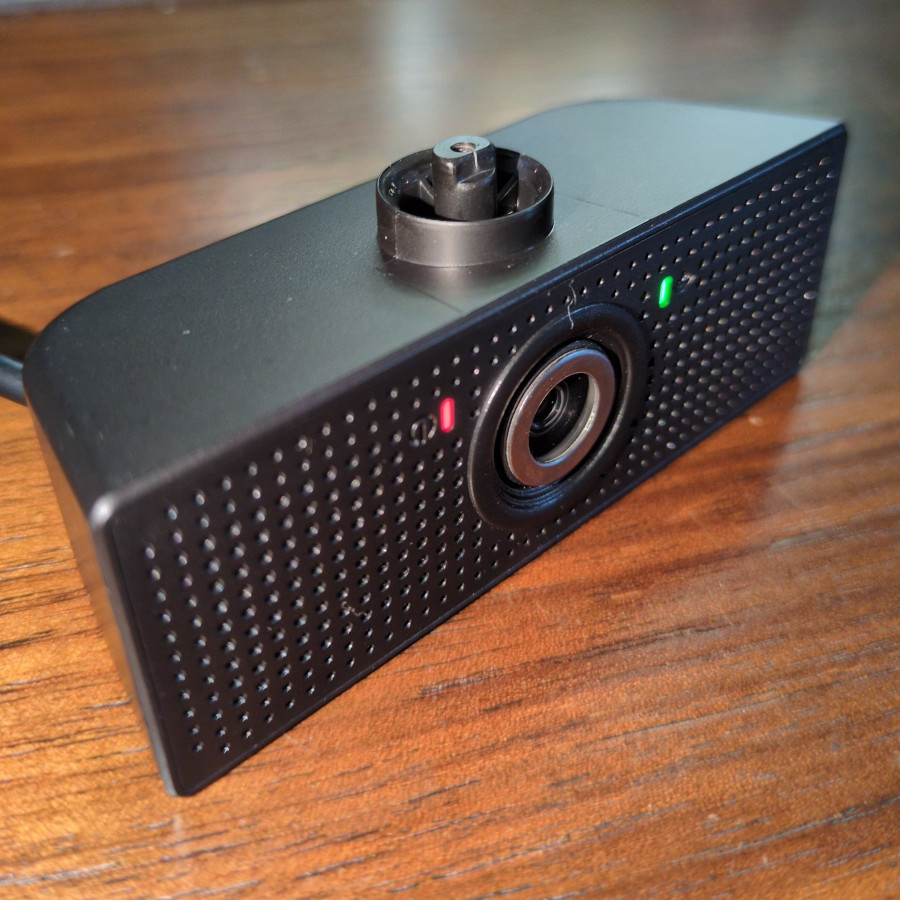
Some semi-decent "wide angle" webcam off eBay. Yeah, it's not wide-angle at all.
So I found a small set of lenses for smartphones. The "fisheye" one works pretty well with the webcam.
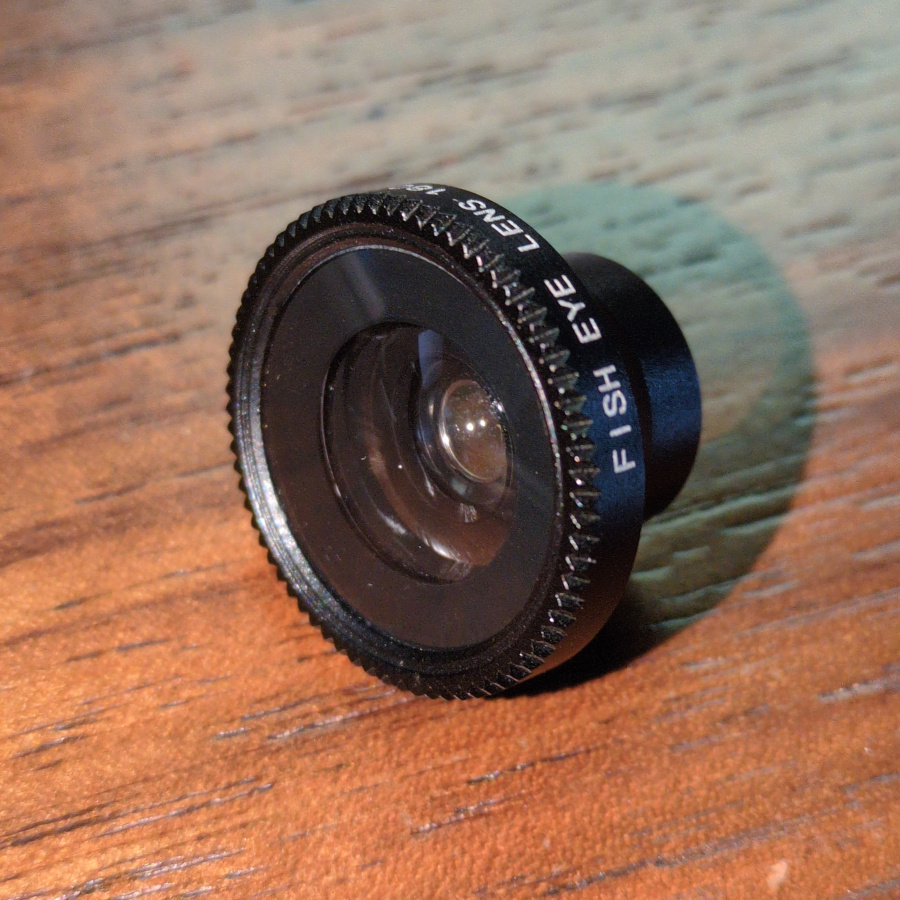
The lens itself is magnetic, but the metal ring that is attached to the webcam (or smartphone) uses bad thin glue. But neither the glue nor the magnet stay attached when the hatch is slammed shut.
Since I have a 3D printer, this can be solved by a nice 3D printed adapter that holds the lens in place and is attached to the camera body using strong double-sided tape.
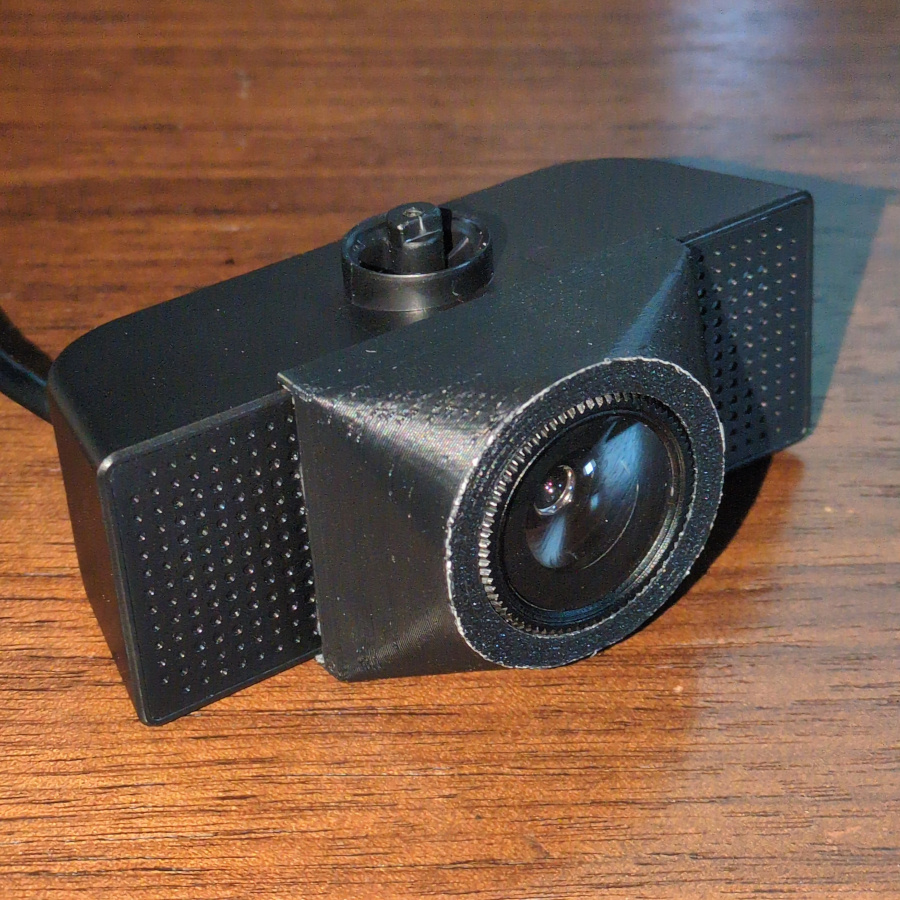
Now that's not going anywhere! *Slams the hatch down*
Switcher, schematic, and operation
After trying multiple approaches, so-called "true USB switcher" was the most reliable way to power the smartphone and/or view the rear camera. See notes section for some other considerations.
Schematic in ASCII :)
[  smartphone  ]
        |
[ USB switcher ]----[external button]
   |       |
  +5V   [webcam]
   |
[12V-5V converter]
Pushing the button on the USB switcher toggles between power-only cable and the webcam. Connecting the webcam to the smartphone opens the webcam viewer app, disconnecting the webcam closes the app. More details in the software section.
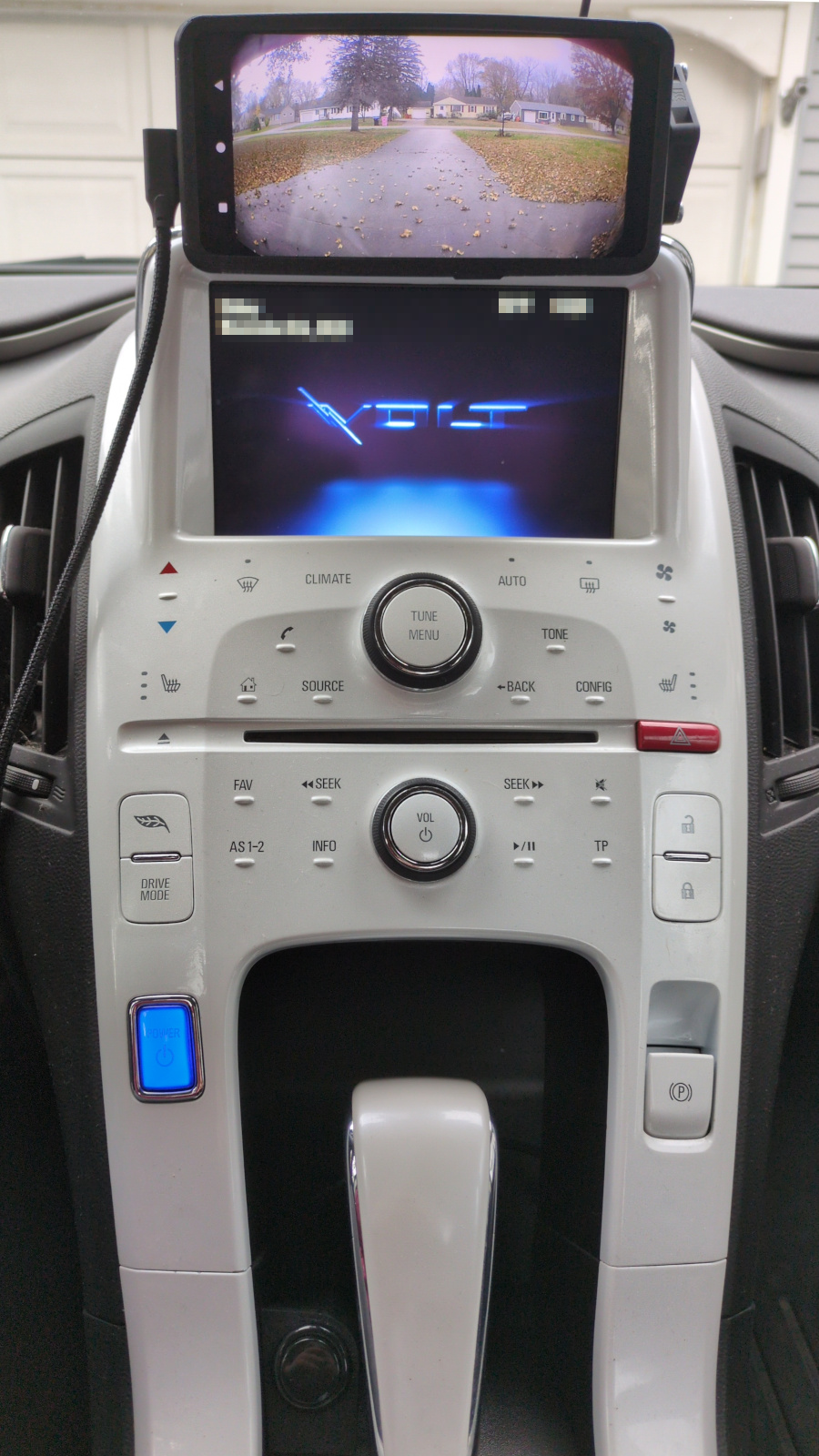
The external camera switch button is on the left of the shifter.
Software
Setup
- LineageOS without any Google services
- Rooted using Magisk
- AccA app for limiting battery charge level
- RHVoice for text-to-speech voices (LineageOS does not provide one out of the box)
Navigation
OsmAnd is based on OpenStreetMap, works fully offline, and is extremely customizable.
Since this smartphone is only connected to WiFi while at home, offline functionality is a must.
Other considerations:
CoMaps / Organic Maps
This is what I use on my personal device, much less verbose than OsmAnd, but for in-car purposes, it lacks "north is up" lock, and zoom buttons are too clumsy to use.
HERE WeGo
I used WeGo ~10 years ago, but now the app is a bit too slow, and offline search barely works.
Navit
Very old-school. It can run on a potato once you figure out how to download and process map data for your region and write your own UI configuration. TBH I didn't get to try it, but I want to try a standalone Raspberry Pi + touchscreen with Navit.
Camera
I needed a simple app to view a USB camera / UVC device feed, but did not find any FOSS apps for that. There was one app that I liked on the Play Store, but switching resolution plays an ad... So I had to write my own. I found an old project with UVC driver implementation and a few examples, tweaked one of the examples to be as minimal as possible and fit my needs.
Eventually, this ended up as a full fledged app, and got published on IzzyOnDroid.
And the original fully-automatic features were moved into a separate branch.
Notes and further ideas
Just buy a cheap Android Auto unit from Amazon!
I specifically want a standalone navigation, independent of proprietary Android Auto and CarPlay standards. (Yes, I know there is FOSS Android Auto replacement now) My car handles calls and music over bluetooth already. Also, where's the fun in that?
Power vs camera on USB
Since smartphones usually have only one USB port (some tablets used to have docking pins though), there's the problem of how to keep the phone charged/charging while also having access to the USB camera. In general, there are no great solutions.
Trying to splice the USB-OTG connector and connect permanent power to pins probably will not work. For few smartphones with older USB ports and protocols, there were "OTG charging" kernel patches making something like that possible. Later USB protocols (specifically over USB-C) have more complex host-peripheral logic where those patches would not work.
Using a powered USB-C hub seems like a logical idea. The hub is powered by the car, acts as a host device, charging the phone and providing access to the camera. Until the car turns off. Then, since the hub is not powered, it re-connects to the smartphone, now being powered by the smartphone, and draining its battery and preventing entering sleep. And this could be fine, but due to quirks of (Android's?) USB-C protocol, the hub does not reconnect as host and does not charge the phone when the car is powered back on.
Switching to the camera is slow
There is a very noticeable (~5s) delay between pushing the switcher button and the camera being displayed on the smartphone, which comes from
- USB switcher delay between disconnecting one line and connecting another one
- Webcam powering on
- Android detecting a connected UVC device
- USB Viewer app initializing
What is interesting about USB switcher is that it needs power to operate, so when car is powered off, the smartphone is effectively disconnected, and can enter sleep. Therefore, connecting a powered USB hub + webcam, as described above, but through the switcher, should not cause any quirks or power drain. Switching to the camera can be done on the smartphone itself (maybe even using the volume buttons), or using a button on a USB keyboard + KeyMapper app, or reading the shifter position via OBD2 dongle.
Automatic screen on and sleep
I am still not sure how to approach this one. Ideally, I want the smartphone to wake up when the car is on, and to sleep when the car is off. But since AccA controls battery charging, I cannot rely on charging status to determine when car is on and off. Perhaps I can set up Automation to detect when car's bluetooth is connected.